Scheduled sends: Prepare an invoice now, send it later
Scheduled sends separate preparing an invoice from delivering it, so your billing date does not have to be your admin day.
Your admin day is not always billing day
Scheduled sends let you prepare an invoice ahead of the date you want to deliver it. Instead of keeping a separate reminder to come back and press send, you can give the invoice a sending time.
The schedule uses your company's timezone. That matters when you are preparing work in the evening or billing a client at the start of a new month. The time you choose should make sense in the context of the business sending the invoice.
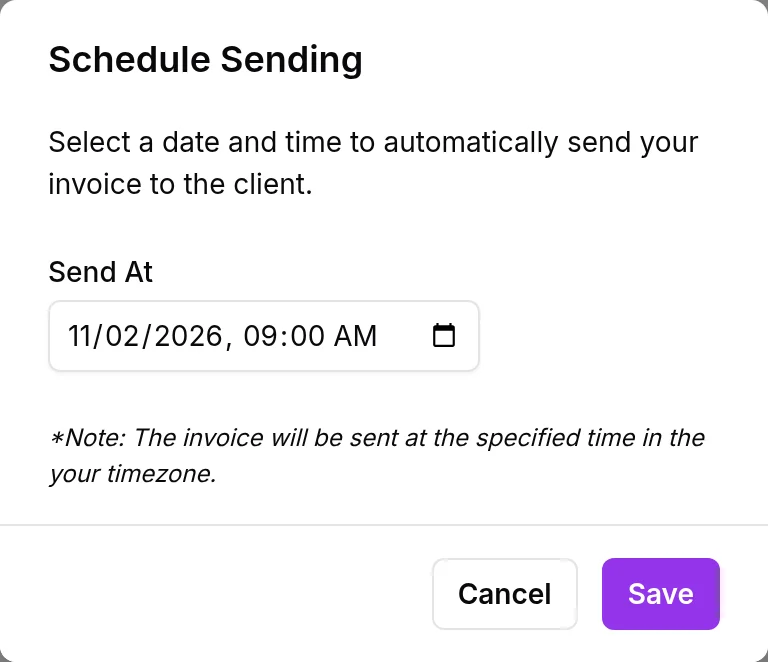
We built this around an existing invoice, not a repeating billing arrangement. Scheduling one invoice and creating a recurring invoice solve different problems.
Finish the paperwork before the deadline
Say you finish a project on Thursday, but have agreed to invoice on Monday. Prepare and review the invoice while the details are fresh, then schedule its delivery for the agreed date. You do not need to make Monday morning the place where all the paperwork happens.
Before scheduling, check the recipient, line items, amount, and company timezone. Choose the send date only after the invoice is ready for the client to read.
For work billed on a repeating cadence rather than a single future date, see recurring invoices. Scheduled sending remains the simpler choice for a one-off invoice.