In-app announcements: Catch up on what's new in Pushsilver
An in-app announcements panel keeps product news close to your work, with unread and all views so you can catch up.
Read the update where you work
In-app announcements added a place to read product news without leaving Pushsilver. The panel separates unread announcements from the full list, so catching up does not require remembering which update you have already opened.
You can mark an individual announcement as read or clear the unread list together. That gives product news its own small workflow rather than leaving it mixed into the invoice records you are trying to manage.
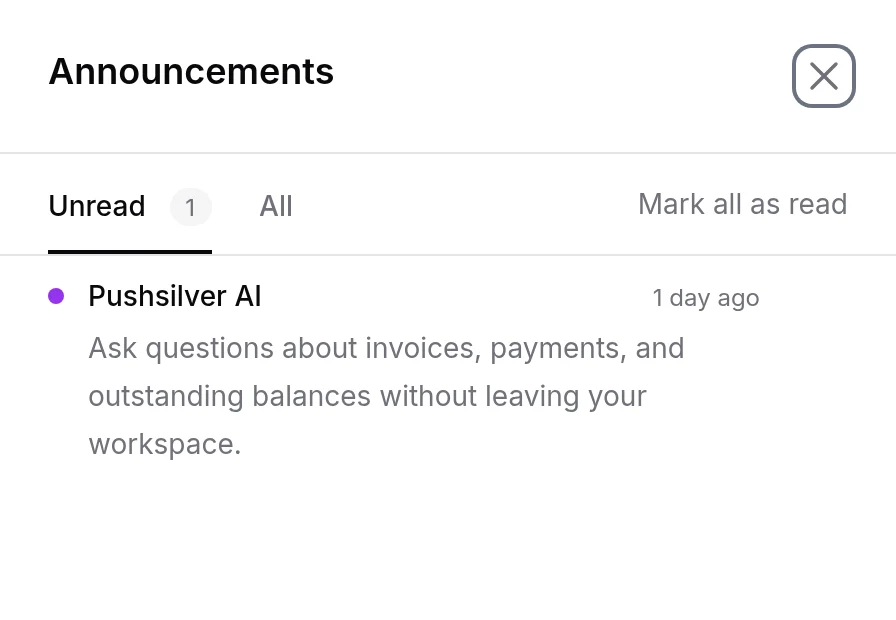
We think changes should be explained close to the work they affect. An announcement can give you context when something has changed, while the all view keeps the older messages within reach if you want to return to them.
Catch up between billing tasks
If you only open Pushsilver around your regular invoice run, check the unread announcements before starting. Read the relevant updates, then mark them as read so the next visit has a clear starting point.
An announcement is product news, not a payment notification or an invoice reminder. Keep using the invoice record to check an individual client's billing activity, and use announcements to understand changes to the product itself.
The practical next step is simple: open the announcements panel during your next visit, review what is unread, and return to the all view whenever you need to revisit an earlier message.